What Is the Difference Between a PBX and VoIP?
PBX and VoIP are not two versions of the same thing. A PBX is a phone system: the box that connects your desk phones, routes calls, and handles extensions. VoIP is a way of carrying calls: your voice travels over the internet as data instead of over copper phone lines. The real choice most businesses face is an on-site PBX box versus a cloud phone service that uses VoIP.
Here is the part that trips people up. Modern PBX boxes (called IP PBX systems) already use VoIP inside your building. So the PBX vs VoIP question is really a question about who runs the equipment:
- On-site PBX: you buy the box, you house it, you maintain it.
- Cloud VoIP (also called hosted PBX): the provider runs everything in its data centers. You pay monthly and plug in phones.
Everything below compares those two paths, because that is the decision on your desk. If you want to see what the cloud side looks like in practice, our cloud phone system page walks through it.
What Is a PBX Phone System?
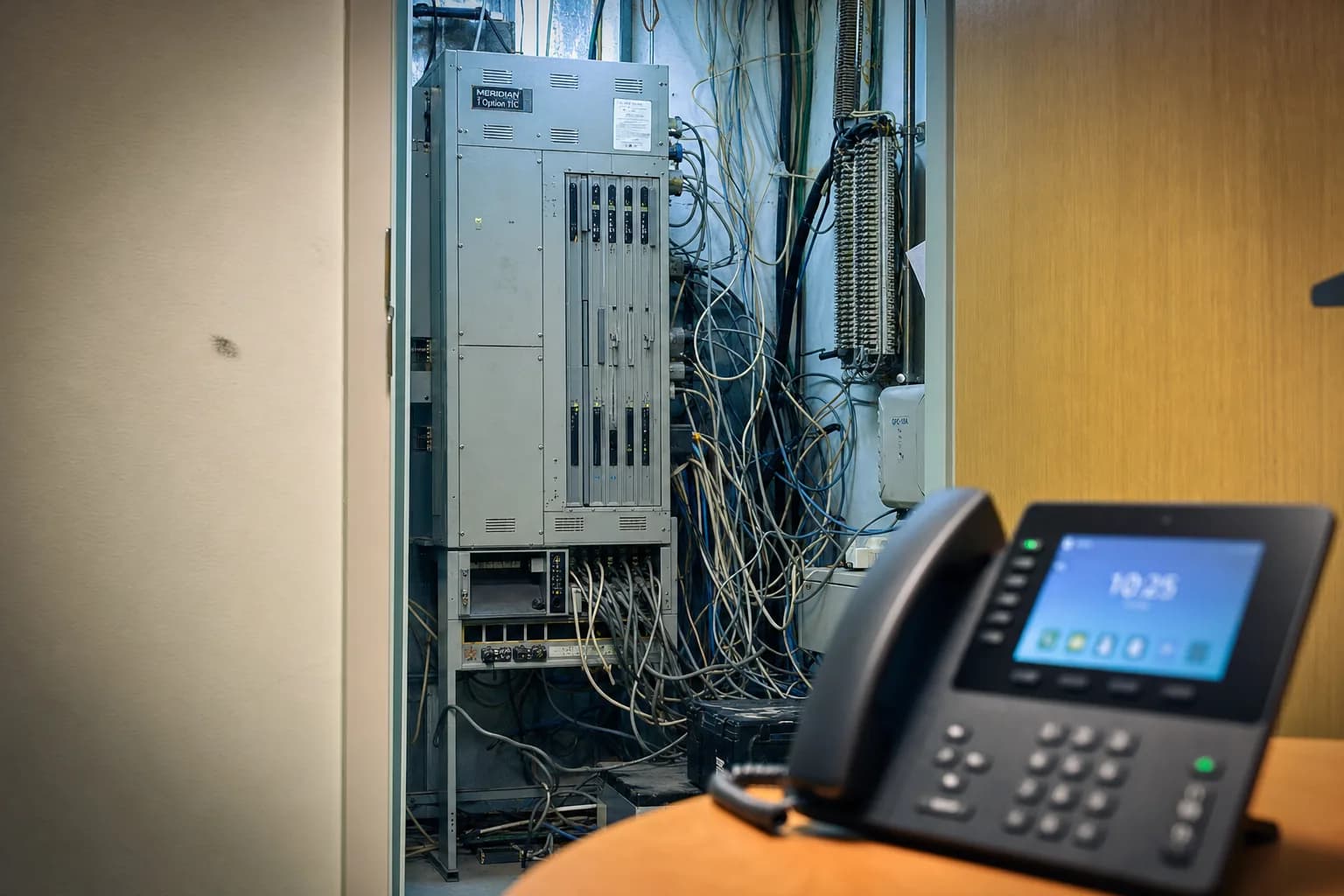
A PBX (Private Branch Exchange) is a private phone switch your business owns and keeps on-site, usually in a server room or phone closet. It connects all your desk phones on one internal network, lets you transfer calls and dial extensions, and shares a small number of outside lines among many employees. For decades, this was the only affordable way to give every desk a phone.
The classic PBX ran on copper phone lines from the phone company. The features were the ones you know: extensions, transfers, hold, voicemail, and an auto attendant (the recorded menu that answers and routes calls).
Owning one means owning everything that comes with it:
- A big upfront purchase. The server, line cards, phone cabinet, wiring, licenses, and installation. This runs from thousands to tens of thousands of dollars.
- Ongoing bills. License renewals, maintenance contracts, and monthly line charges from the phone company.
- A repair problem that is getting worse. Parts for aging systems are getting scarce, and the technicians who know these boxes are retiring.
Nextiva's PBX guide, as of August 2026, notes that keeping a PBX healthy takes specialized in-house expertise, and that the people who have it are getting harder to find.
What Is Cloud VoIP (a Hosted Phone System)?
Cloud VoIP, also called a hosted phone system, is a business VoIP phone system delivered over the internet. The provider runs the switching equipment in its own data centers. You just need an internet connection plus desk phones or apps. You pay a monthly fee per user, and the provider handles updates, security, and repairs.
In practice, this changes the daily experience of owning a phone system:
- Adding a person is a software change, not a hardware install. New hire on Monday, working phone on Monday.
- Your phones are not bolted to the building. A desk phone works anywhere with internet, and a mobile app turns a cell phone into an office line. Remote work stops being a phone problem.
- Features keep arriving. Auto attendants, ring groups, voicemail to email, business texting, and CRM connections come with the service instead of requiring new hardware cards.
- Moving offices means unplugging phones and plugging them in again. No rewiring, no re-ordering lines.
One common worry deserves a straight answer here: call quality. On business-grade internet with a properly set router, VoIP calls in HD sound better than copper lines, which were always narrow, tinny audio. When VoIP sounds bad, the cause is almost always the local network, and it is fixable.
Is VoIP Cheaper Than a Traditional PBX Phone System?
Yes, for most small businesses cloud VoIP is cheaper than a traditional PBX phone system. There is no big upfront purchase, no maintenance contract, and no monthly line charges from the phone company. Nextiva's PBX guide, as of August 2026, puts hosted VoIP at $15 to $25 per user per month for typical plans, and says total ongoing PBX costs can run up to 60% higher than VoIP.
| What you are paying for | On-site PBX | Cloud VoIP |
|---|---|---|
| Upfront cost | High. Server, line cards, cabinet, wiring, install. Thousands to tens of thousands. | Low. Desk phones optional, apps are free, setup is often $0. |
| Monthly cost | Licenses, maintenance contracts, phone line charges, IT time. | One flat per-user subscription, roughly $15 to $30 per user at most providers. |
| When it breaks | Your problem, or a paid contract. Parts are getting scarce. | The provider's problem. Updates happen automatically. |
| Moving offices | Physically move the box, rewire, re-order lines. | Take the phones and plug them into any internet connection. |
| Remote work | Poor without add-ons. | Built in. Mobile apps and softphones work anywhere. |
| New features | Fixed by the hardware you bought. Upgrades cost money. | Included and updated by the provider. |
| Internet outage | An old copper PBX keeps working. An IP PBX does not. | Local phones go down, but calls fail over to mobile apps or forwarding. |
| Control | Total. Deep custom integrations, data stays on-site. | Limited to what the provider's platform offers. |
How much does a business phone system cost per month?
Most small businesses pay between $15 and $30 per user per month for cloud phone service that includes calling, an auto attendant, voicemail to email, and a mobile app. Nextiva's official pricing page, as of August 2026, lists plans at $15, $25, and $75 per user per month on annual billing. Desk phones are optional, since apps can replace them. Our business phone system cost guide shows the full math, and our phone system for small business page shows what should be included.
What hidden fees do VoIP providers charge?
VoIP providers commonly add regulatory recovery fees, E911 fees, setup or activation charges, per-feature upcharges, and price jumps after a promotional year. Watch the gap between the advertised rate and the final bill. Always ask for the full monthly total in writing, including taxes and fees, before you sign, and check the contract length: many low advertised rates require a multi-year commitment with early termination fees. Our VoIP hidden fees guide breaks down each fee in plain English.
Is cloud always cheaper? An honest caveat
No, cloud is not always cheaper. A large company with a paid-off IP PBX, its own IT staff, and cheap internet-based phone lines (called SIP trunks) can spend less over ten years by keeping the box. Cloud wins on cash flow, mobility, and never thinking about maintenance. It does not win every long-term math problem. Nextiva's own PBX guide concedes that large companies with dedicated IT teams remain the best fit for on-site systems.
Tired of fee stacking and contract lock-in? Business Phone System is a cloud phone system for small and mid-size businesses: desk phones, a mobile app, a desktop app, business texting, auto attendants, and voicemail to email. Month to month only, one flat quoted price with no fee stacking, and billing stops if you ever leave. Call for a flat quote and a real person will answer.
Call for a Flat QuoteThe Copper Shutdown: Why This Choice Is on a Timer
The old copper phone network that traditional PBX systems depend on is being retired. AT&T is targeting the end of 2029 to retire copper across most of its network, and FCC rule changes in 2025 and 2026 made it much easier for carriers to shut lines down. If your phone system runs on copper lines, this decision now has a deadline attached.
84%
of US business wireline connections were already VoIP as of June 30, 2025, per the FCC's Voice Telephone Services report (published May 2026).
- The FCC's Voice Telephone Services report (data as of June 30, 2025, published May 2026) counted just 15 million copper switched-access lines left in the US, against 63 million VoIP subscriptions.
- Those copper lines are disappearing at a 17.9% compound annual rate, down from about 27 million in 2022, per the same FCC report.
- Of roughly 53 million US business wireline connections, about 84% are already VoIP and only about 16% remain on traditional lines. The migration is not a trend to watch. It already happened.
The rules changed too. In March 2025, the FCC removed the requirement that carriers offer a stand-alone replacement voice line when they retire copper. The FCC's Network and Services Modernization Order, per its March 2026 fact sheet, goes further: it eliminates network-change disclosure filings and applies a 31-day automatic grant period to all discontinuance applications. AT&T's July 2026 FCC filing covers portions of 55 wire centers in 13 states, with discontinuances possible as early as October 16, 2026, per Ooma's analysis of the filing.
The takeaway for a business still on copper: the idea that the old reliable landline will always be there as a backup is no longer true. The backup is being unplugged. For a side-by-side look at what replaces it, see our VoIP vs landline comparison.
When Keeping a PBX Still Makes Sense
Some businesses still have good reasons to keep an on-site PBX. Hotels with hundreds of room phones, hospitals with strict uptime rules, large call centers with deep custom software, government sites with data rules, and locations with weak internet can all be better off keeping the box. So can a large company with a paid-off IP PBX and its own IT team.
- Hotels and motels: hundreds of cheap analog room phones plus property-management software wired into the PBX.
- Hospitals and care facilities: life-safety rules and uptime mandates that favor equipment they control.
- Large call centers: deep custom integrations built over years.
- Government and defense sites: data must stay on-site.
- Rural and industrial sites: internet too weak or unreliable for voice.
There is also a middle path called SIP trunking: keep your existing PBX, but replace the copper lines feeding it with internet-delivered lines through a gateway device. You keep the box you already paid for and drop the copper before it drops you. For many businesses it is a bridge, not a destination, but it buys time.
How to Switch From a PBX to a Cloud Phone System
Switching from a PBX to a cloud phone system usually takes 2 to 6 weeks for a small business, and the wait is mostly number porting. The big steps: list every line you have, check your internet, pick a provider, port your numbers, register 911 addresses, and set up the new phones. The number one rule: never cancel your old phone service before your numbers finish moving.
- 1
Inventory every line
Not just phones. Fax machines, fire alarm panels, elevator phones, security systems, gates, and older card readers often run on copper lines, and AT&T's own shutdown guidance flags them. Each one needs an adapter (called an ATA) or a dedicated replacement device.
- 2
Check your internet
A voice call needs roughly 100 kbps each way. Ten simultaneous calls is about 1 Mbps, which almost any business connection can handle. Steadiness matters more than speed, so have your provider confirm your router can prioritize voice (this setting is called QoS).
- 3
Pick a provider and sign the porting form
A one-page letter of authorization (LOA) starts the transfer of your existing numbers to the new provider.
- 4
Register your 911 addresses
Federal law requires it. Kari's Law says any multi-line system installed after February 2020 must allow direct 911 dialing, no dialing 9 first. RAY BAUM'S Act requires your street address, floor, and suite to go out with a 911 call. Cloud providers build this in. On an old PBX, this compliance burden is yours.
- 5
Set up phones and call flows
Auto attendant menu, ring groups, business hours, and voicemail greetings. Train the team for an hour.
- 6
Run both systems briefly, then cut over
Once the numbers port and everything tests clean, the closet box retires.
The number one porting rule
Never cancel your old phone service before your numbers finish moving. Canceling early can forfeit the numbers. Keep the old account open until the new provider confirms every number has ported.
How do I switch business phone providers without losing my number?
Your numbers belong to you, and federal rules let you move them to any provider. The process is called porting. You sign a letter of authorization, the new provider files it, and the numbers transfer, usually in 1 to 3 weeks. The only way to lose a number is to cancel the old account before the port completes. For the full walkthrough, read our guide on how to switch business phone providers.
Want the switch handled for you? Business Phone System manages the whole move: number porting, phone setup, auto attendant, business texting, and the mobile and desktop apps. Month to month, no long term contract, one flat quoted price. If you ever leave, billing stops. Call for a flat quote.
Start Your Switch